The schedule says you’re covered.
Then you realize only one person on the shift is qualified for control.
Modern workforce operations for aviation
Schedule station teams around flights, qualifications, and real availability — and keep the roster true after every swap, giveaway, and call-out.
Behind the schedule
A generic scheduler can show who is working. Airport operations need to know whether the right people are working. A shift can look covered on paper and still leave the station short on qualified people.
On paper12 people scheduled.
On the floorOnly one of them is control-qualified.
On paperThree employees swapped shifts.
On the floorThe printed roster still shows the original names.
On paperSomeone calls out 90 minutes before a bank.
On the floorA supervisor has to find a qualified replacement without creating overtime.
On paperTwo departures overlap.
On the floorThere are enough people — just not enough for both gates.
On paperAn experienced agent can only work mornings.
On the floorIgnoring it may solve today’s schedule — and create tomorrow’s retention problem.
Sound familiar?
Then you realize only one person on the shift is qualified for control.
The supervisor still has the original roster and has to work out who is actually coming.
Now you’re texting people, checking qualifications, and trying not to create overtime.
Headcount looks fine until two gates need boarding and control at the same time.
School, kids, second jobs, and seniority are real constraints. Schedule past them and they come back as call-outs and swaps.
Spreadsheets, texts, and manual balancing for a schedule that changes again tomorrow.
Why NOE exists
NOE was designed around real station scheduling problems — not adapted from a generic shift tool.
Generic scheduling software handles shifts. NOE helps managers see whether the operation behind those shifts is actually covered.
What NOE shows you
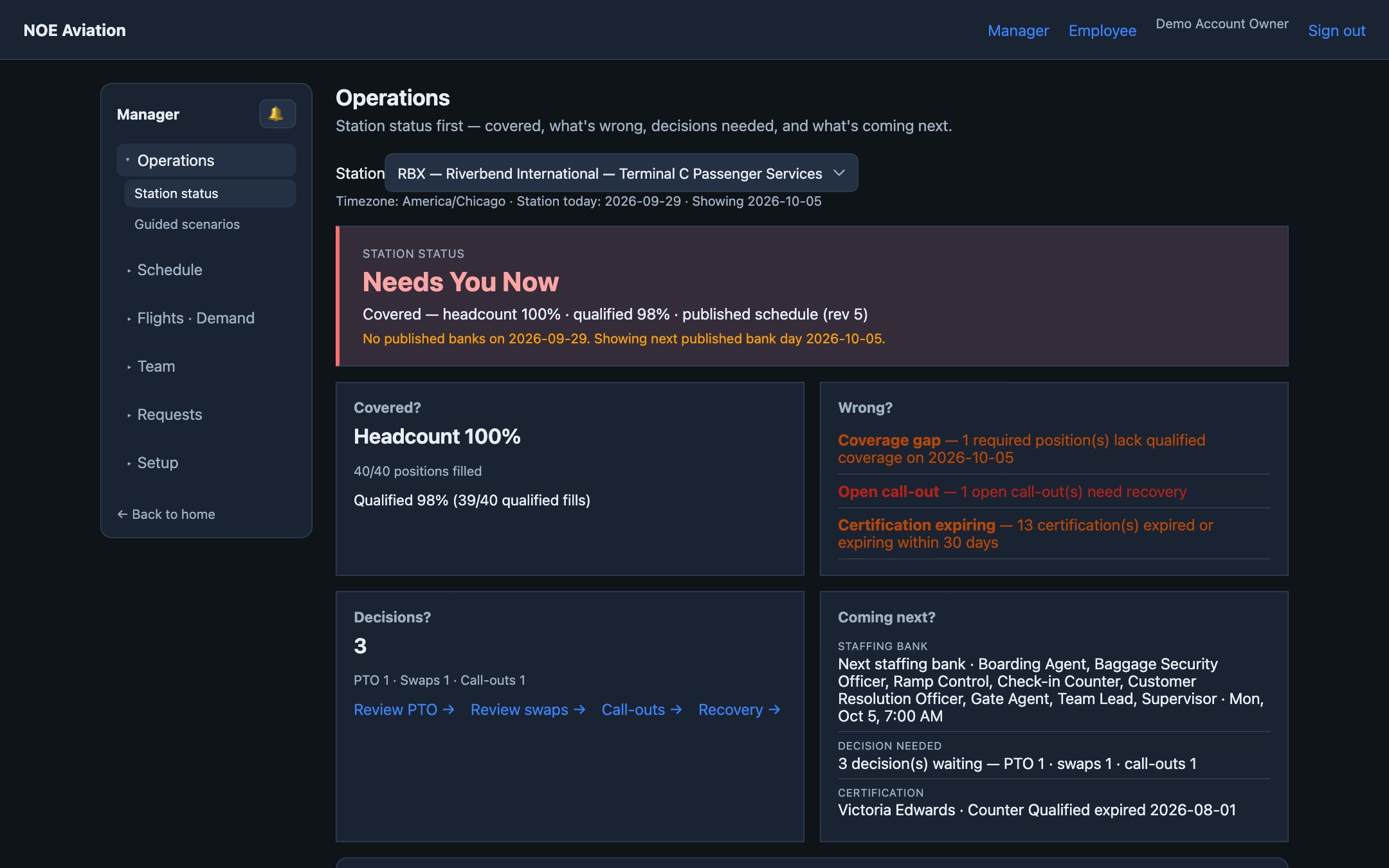
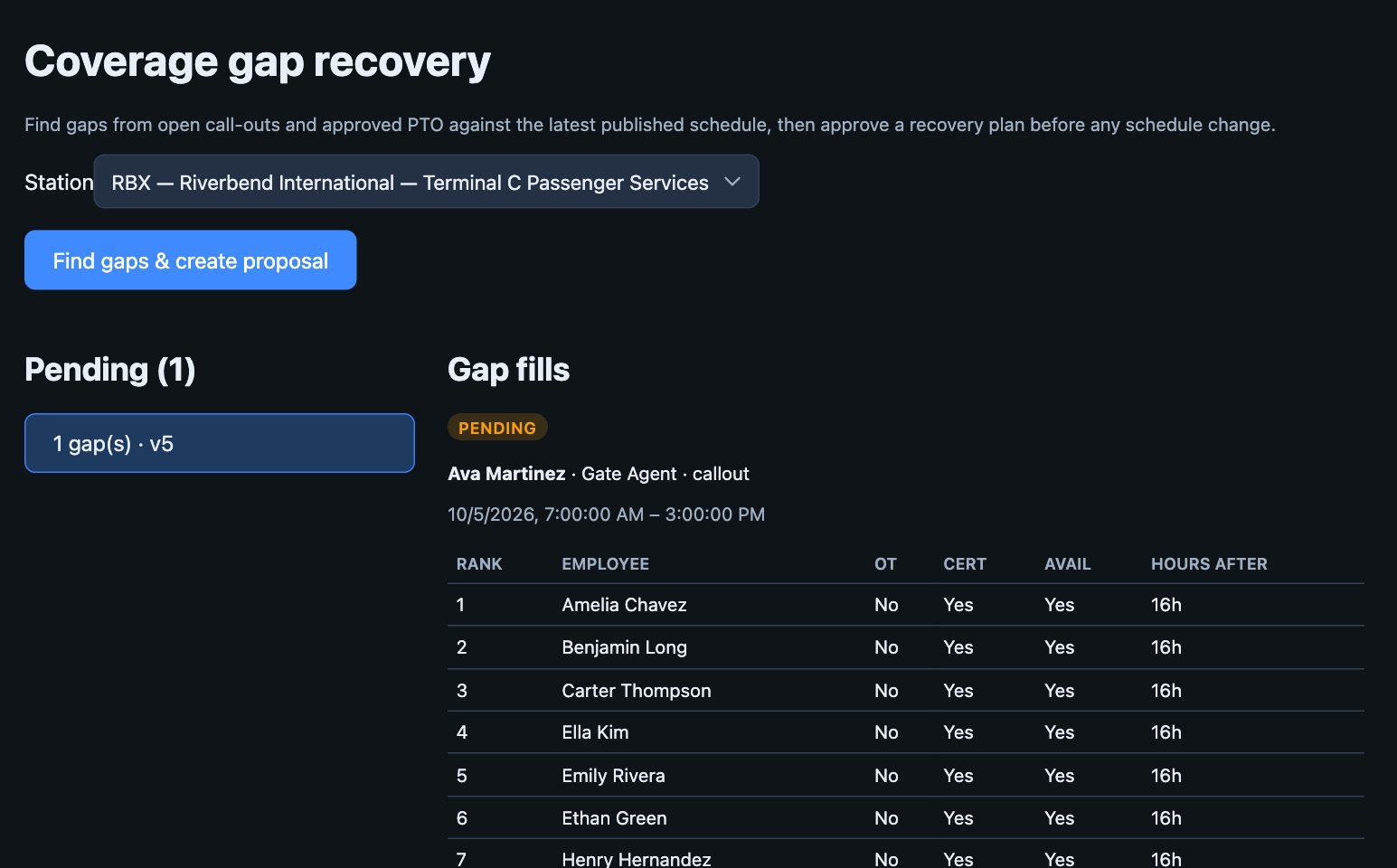
Station status puts headcount and qualified coverage side by side — with the gaps, open call-outs, and expiring qualifications that need attention.
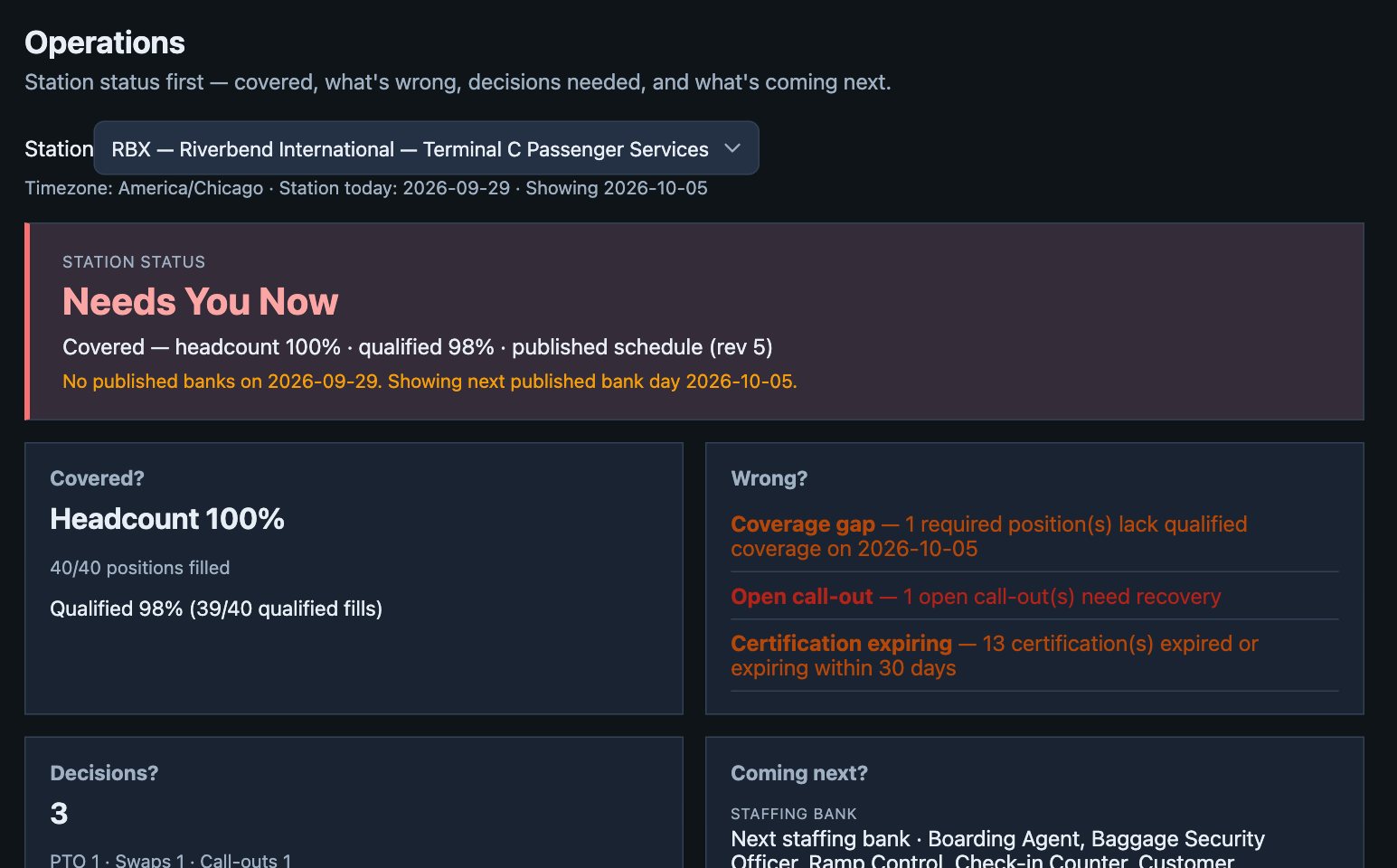
NOE finds the gap and ranks replacements by qualification, availability, and overtime. A manager reviews the recovery plan before the schedule changes.
Flights and staffing standards become requirements by role and time window — overlapping banks included — so the schedule starts from demand.
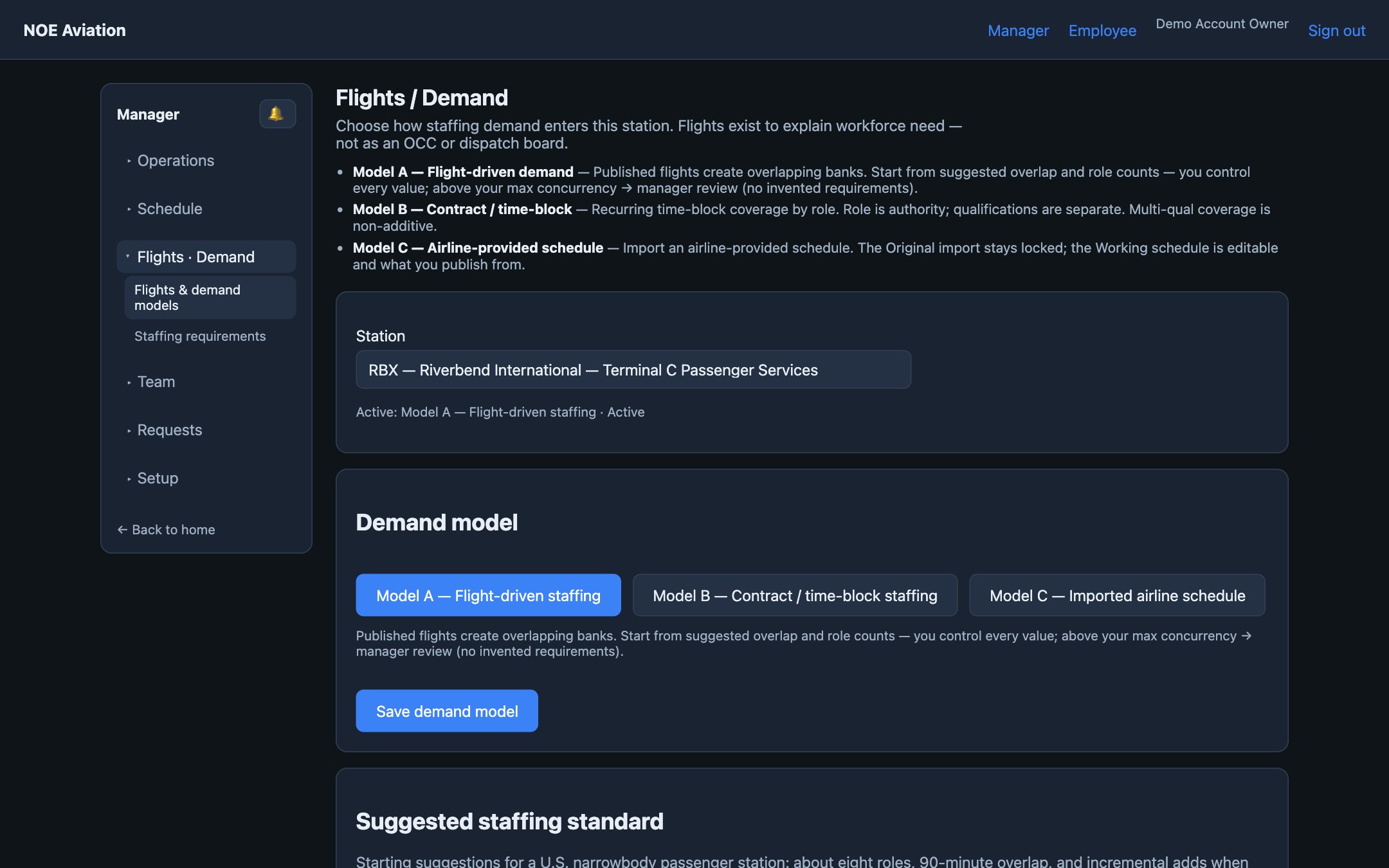
For station and account managers
Let NOE organize the information — qualifications, availability, demand, and hours. You keep the decision.
Open to station status — coverage, risks, and pending decisions — before you start calling people.
Qualified coverage only counts people with current qualifications for the position.
Generate a schedule from qualified, available employees, then adjust it yourself.
Hours and overtime exposure show on the draft and on swaps and replacements.
PTO, swaps, giveaways, and call-outs, each with its coverage impact.
NOE drafts and recommends. A manager publishes the schedule.
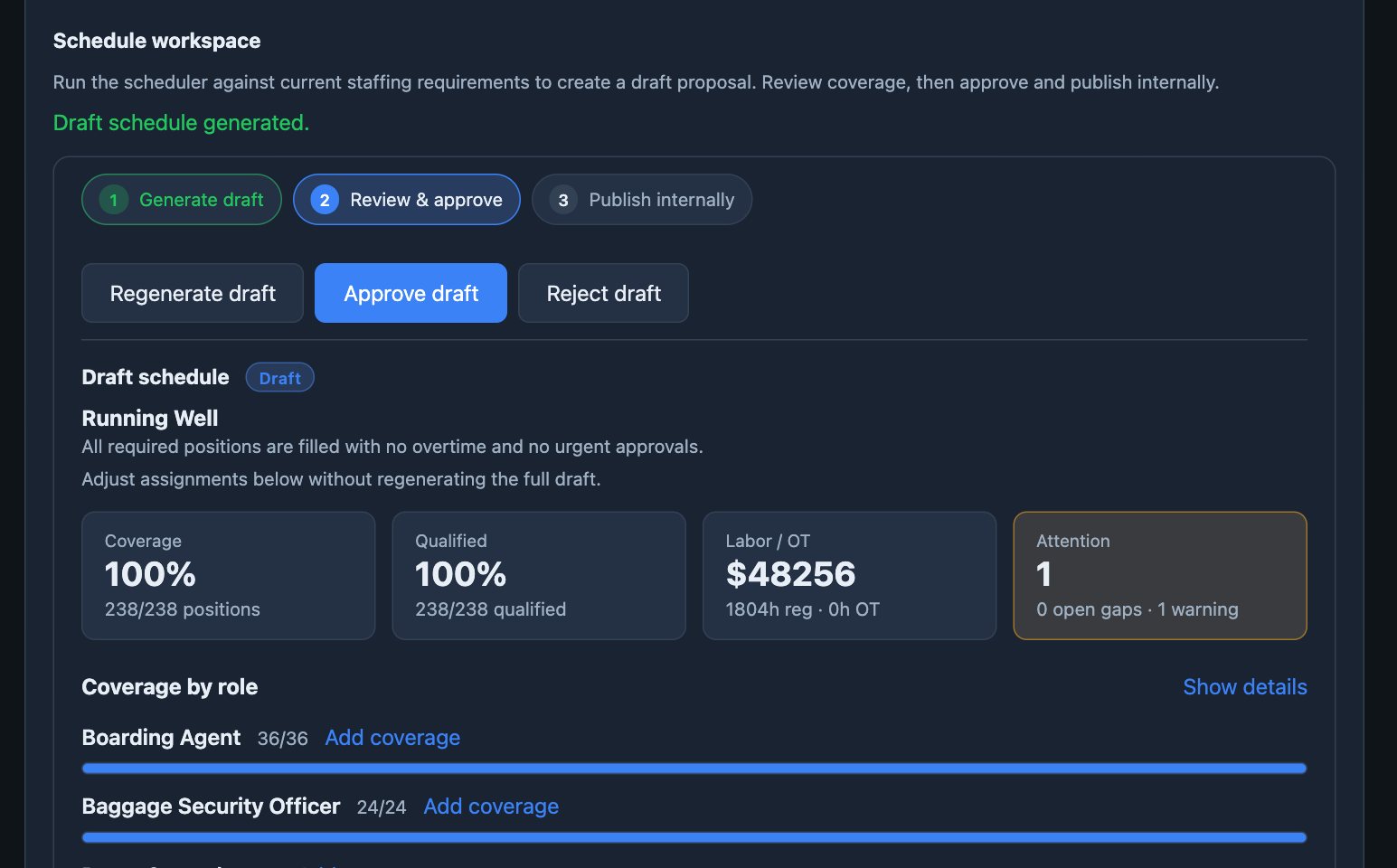
Management control
NOE helps make the decision. You decide how much authority it has.
NOE identifies issues and suggests actions. Your team decides what to do.
Available todayNOE prepares schedules and recovery plans for manager approval.
Available todayCategories you approve — like routine PTO or clean swaps — handled within limits you set.
On the roadmapWhen coverage drops below your threshold or a rule can’t be met, the right managers are alerted.
On the roadmapYour standards. Your approvals. Your operation.
For supervisors and leads
After swaps, giveaways, call-outs, and replacements, the current roster reflects what really happened. No rebuilding a chain of changes from texts and a printed schedule.
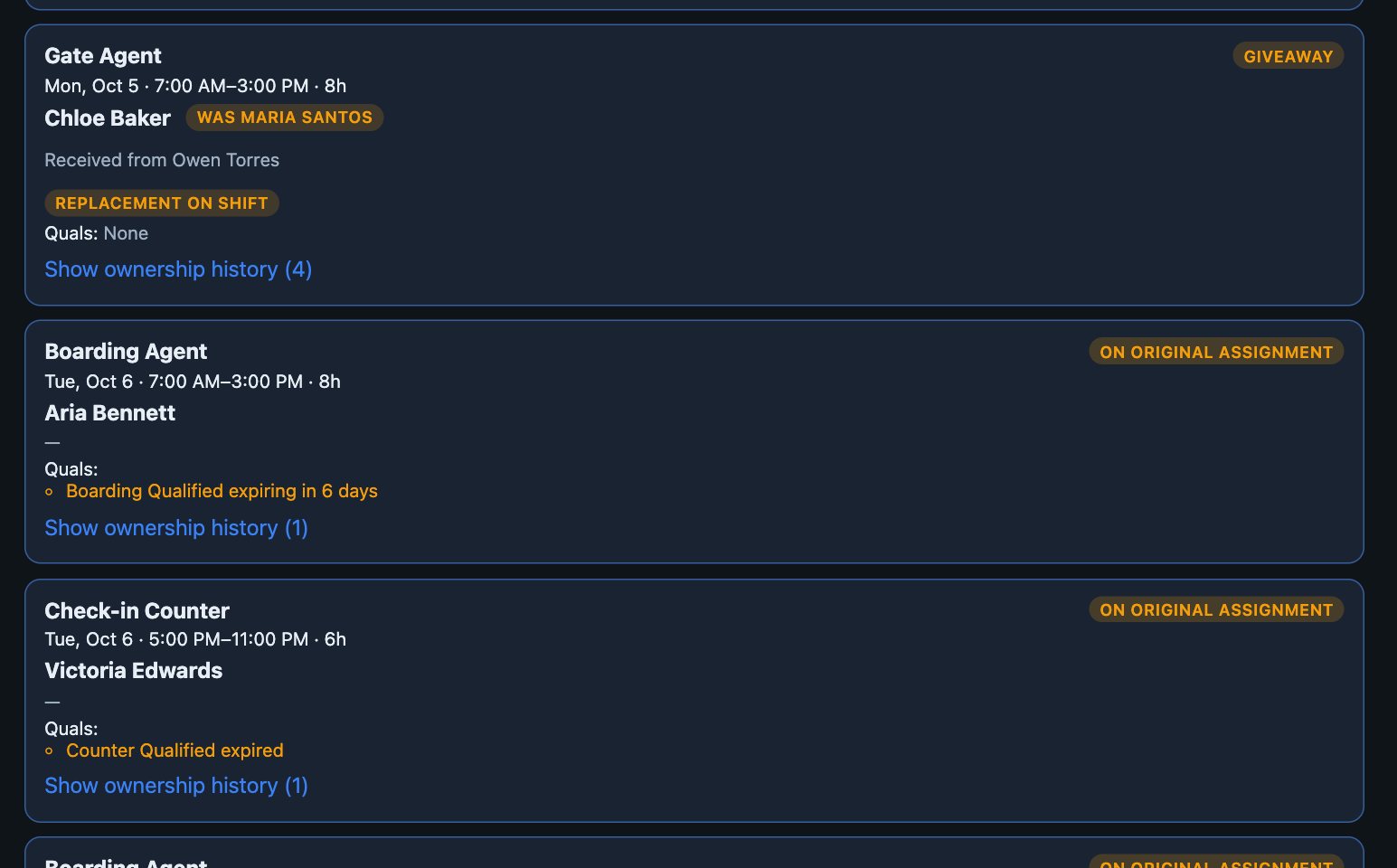
Workforce reality
But better information helps you build schedules people can actually work. These constraints already exist — whether they are tracked well or not.
Already shaping your schedule
What ignoring them can cost
An experienced agent can only work mornings.
Account for the preference when alternatives exist, instead of risking retention over a shift someone else could cover.
An agent works a second airport job.
NOE flags overlapping shifts to the agent, and your side receives only an unavailable signal — never the other employer.
Three agents request the same week off.
PTO review shows the coverage risk when the request comes in, not when the schedule is being built.
Someone gives away a shift.
The current roster and ownership history show supervisors who is actually expected to report.
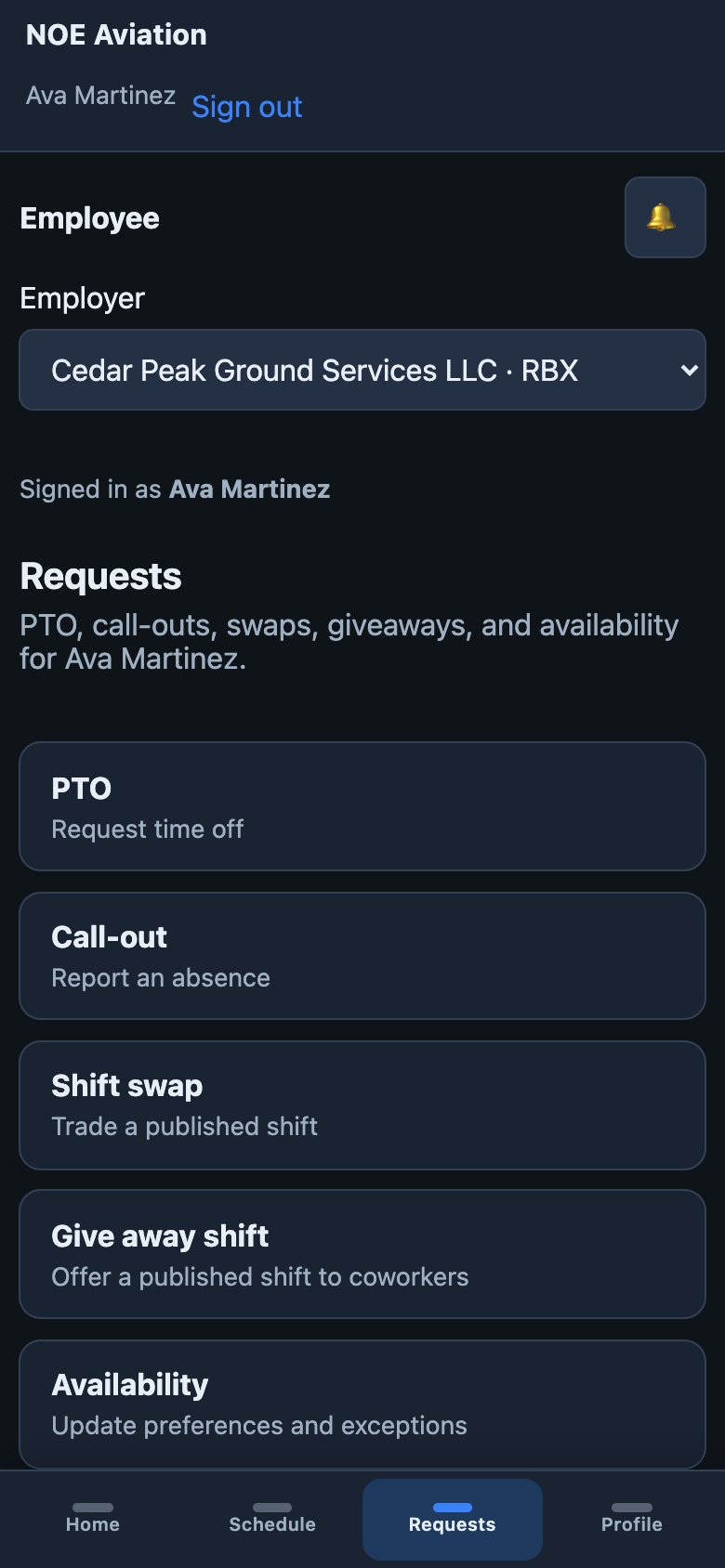
Employee self-service
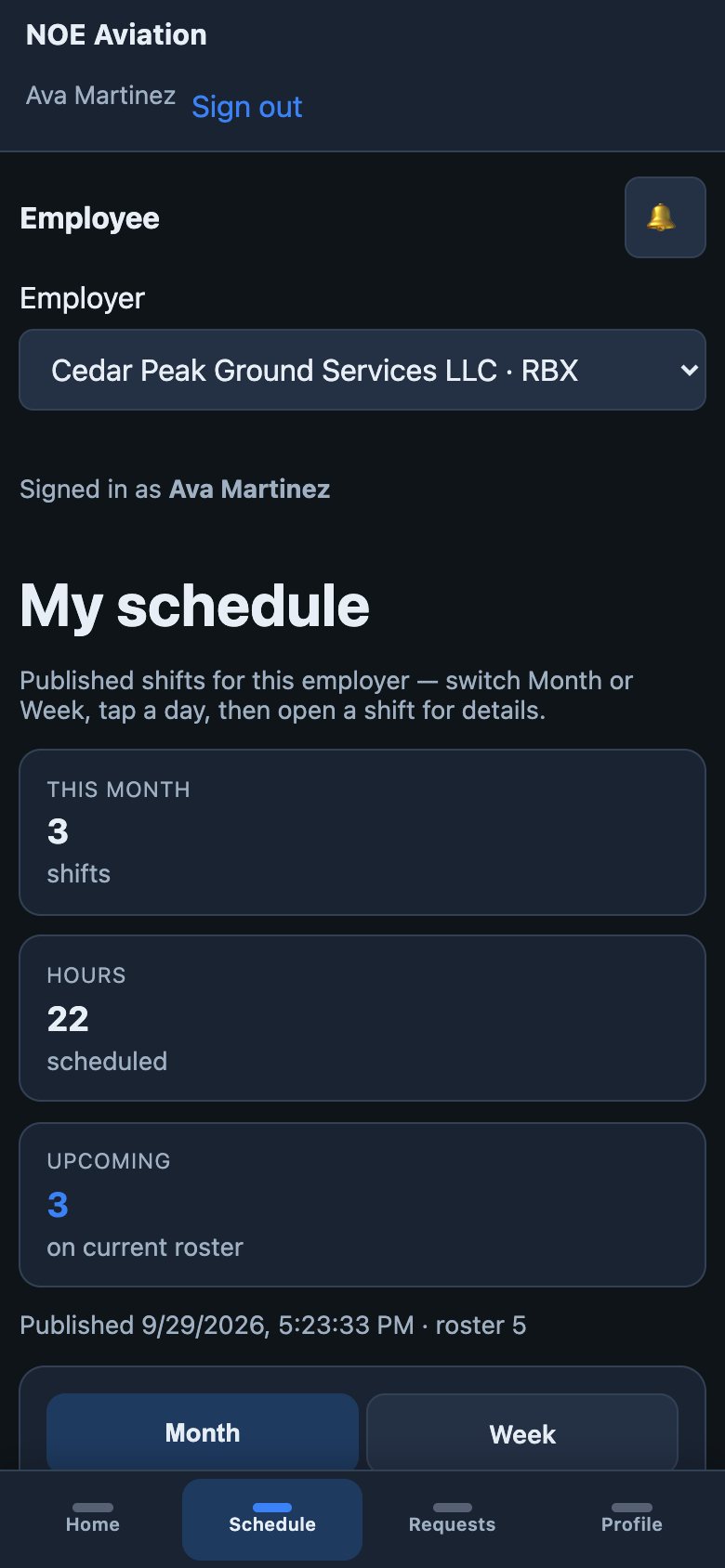
Agents check schedules and submit requests from their phone. Requests arrive in your review queue with their coverage impact.
What agents can do from their phone
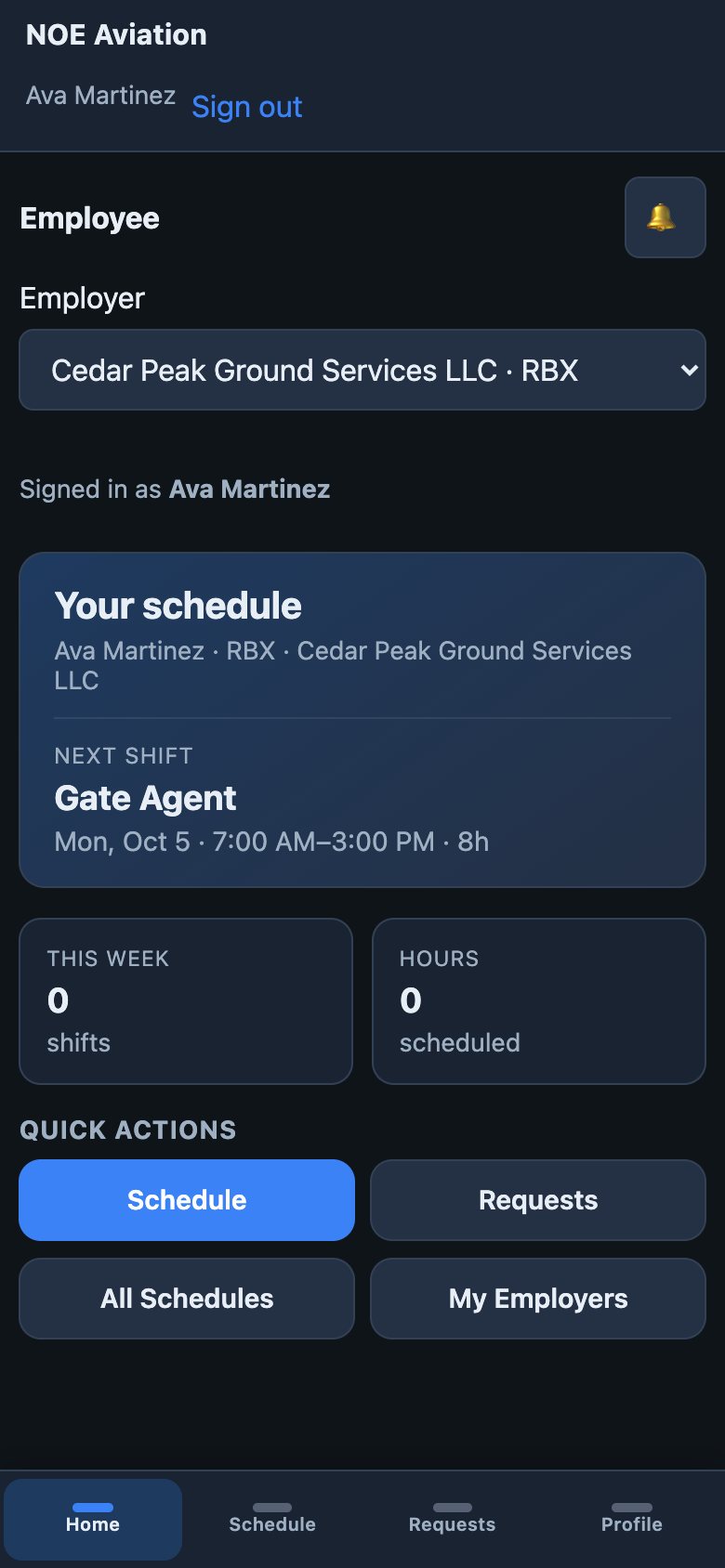
More than one airport job
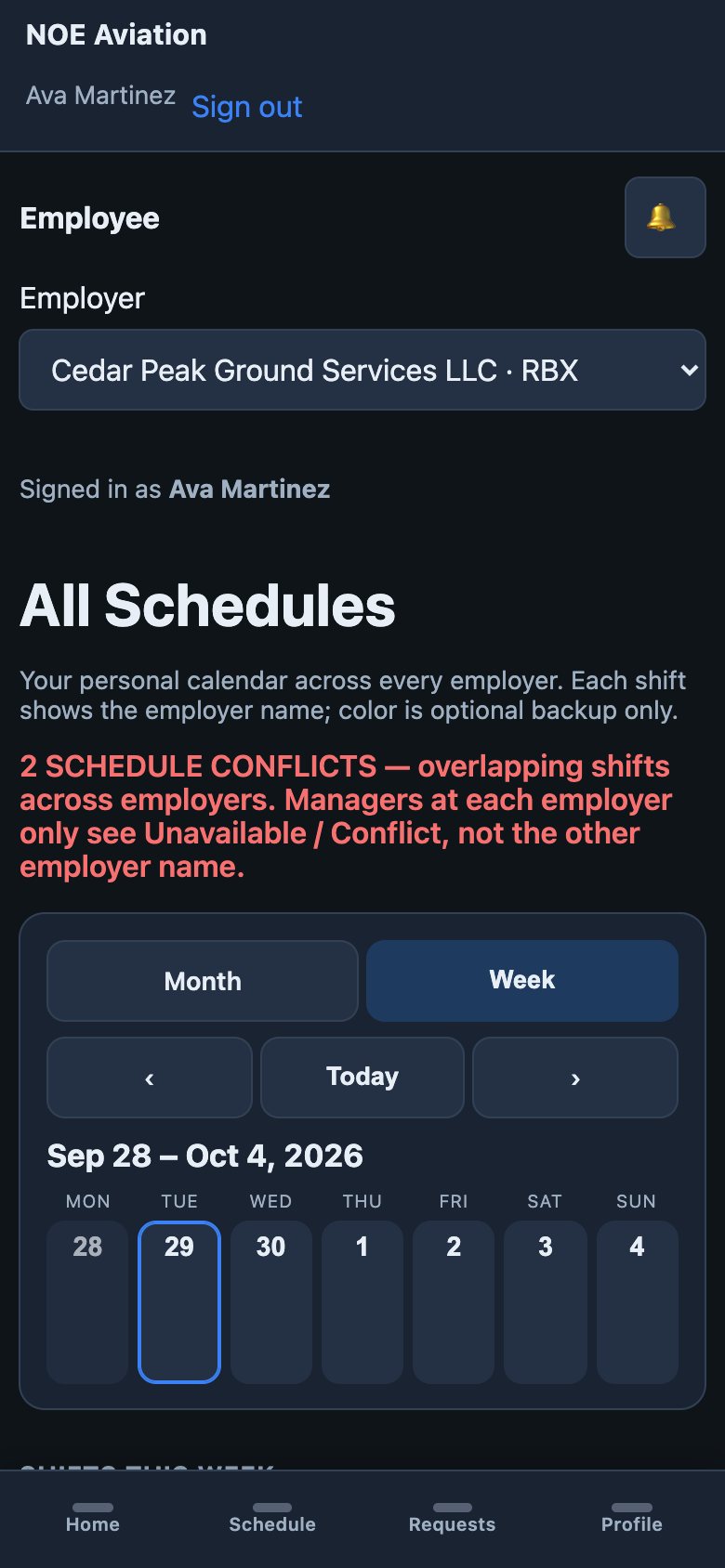
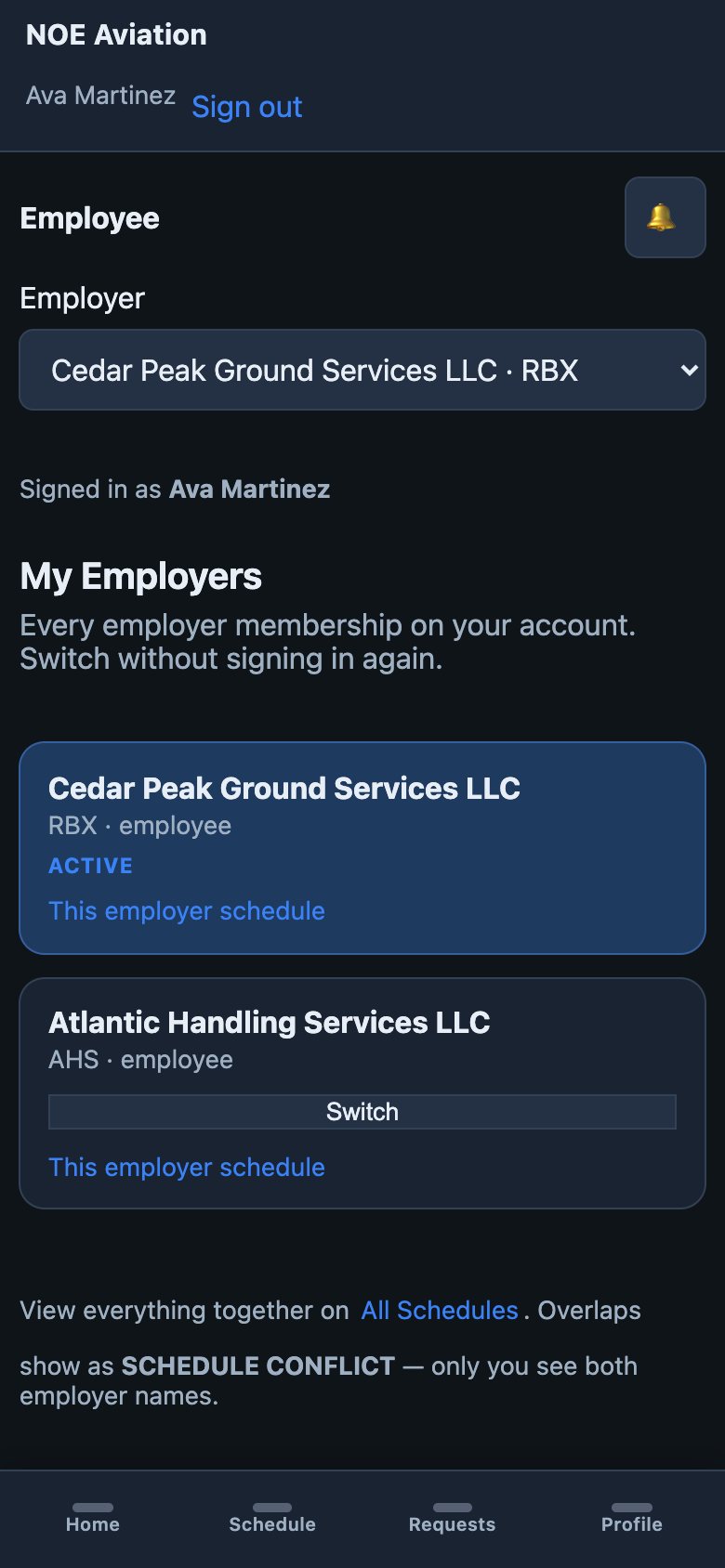
Plenty of airport employees work for more than one employer. They see every schedule together; each employer stays separate.
Overlapping shifts across employers are marked, so they get sorted out before the day of.
Employers never see each other’s schedules, shifts, staffing, or even name. Each receives only an unavailable or conflict signal.
Generic scheduling vs NOE
Operational coverage depends on more than whether a shift has a name attached to it.
| A generic scheduler asks | NOE asks |
|---|---|
| Who is working? | Are the right qualified people working? |
| Is the shift filled? | Is the operation covered? |
| Who owns this shift now? | Who owns it now, who owned it originally, and how did it change? |
| Was PTO requested? | Can we approve it and stay covered? |
| Who is free to cover? | Who is qualified, available, and won’t go into overtime? |
| What did the software decide? | What authority have you given it? |
Built for the way teams work today — in a browser, on a phone, with the context in front of them.
Instead of
Your team gets
How it works
Stations, roles, qualifications, and your team — imported from a spreadsheet. Then flights or staffing standards.
NOE drafts a schedule from qualified, available employees against your requirements.
Check coverage, hours, and overtime exposure. Adjust assignments yourself.
A manager approves. Employees see their schedule on their phone.
Swaps, giveaways, call-outs, and recovery go through review. The current roster stays true and every version is kept.
Who it is for
Station managers, account managers, supervisors, leads, and the agents working the counter, the gate, and the baggage office.
Schedule qualified teams across stations and client flight programs, with coverage you can explain.
Learn moreKeep station staffing aligned to the flight schedule, qualifications, and your own staffing standards.
Learn moreGate, check-in counter, boarding, and customer resolution teams — scheduled around the banks they serve.
Learn moreRun NOE alongside your current process for 90 days with your own station data, and see how much of the coordination it takes off your plate.